
This article explains how to create a link for email that passes variables along from one program to another.
For instance, if you want to send a link via text that allows a user to go to a firm with the information we have on their account already prefilled, you would use this method.
This zap in One Wealth management is a good example of this process: https://zapier.com/editor/115422555/published/115425614/setup
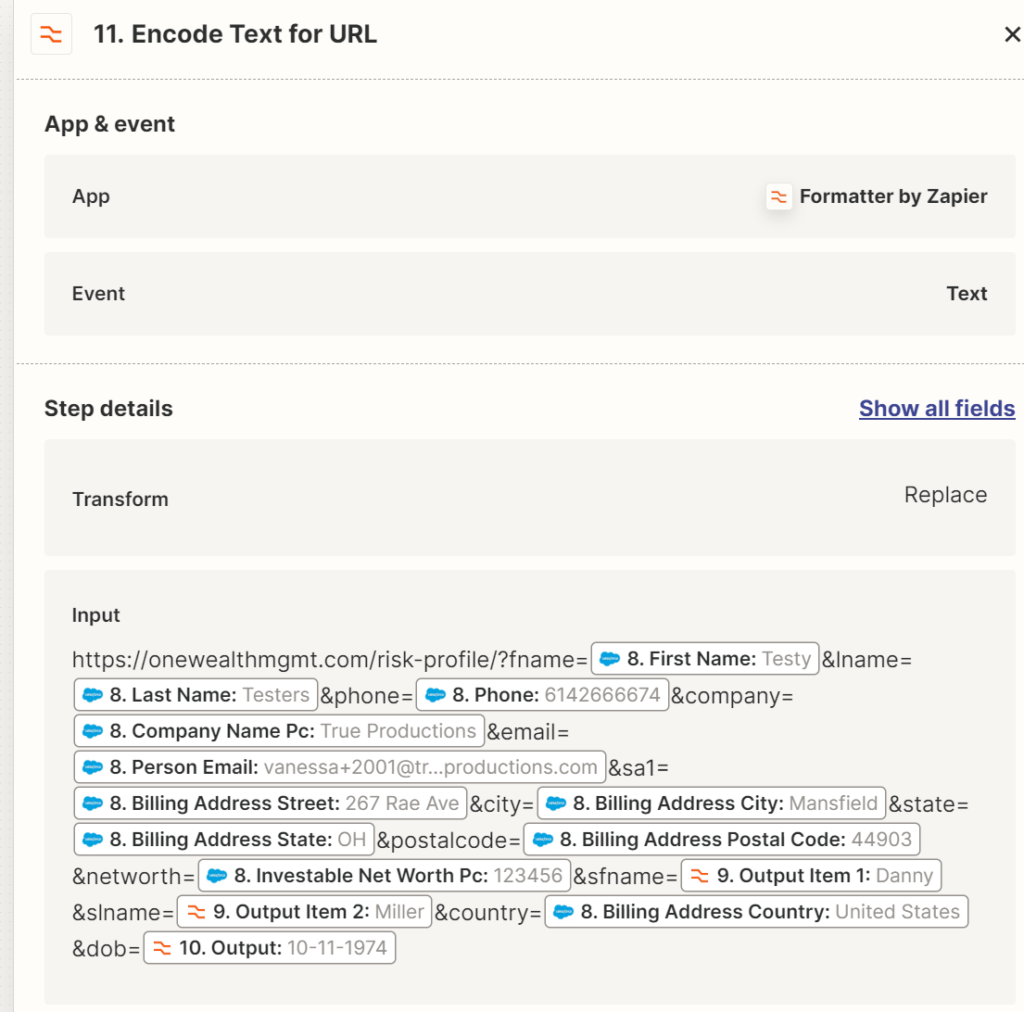
In the above link, we are sending the contact a login request to log in to the Risk Assessment profile with any information we already have in salesforce about them filled out. We are using Gravity Forms, and if you are building links to pass from Gravity Forms, there is an extra step involved to label the form fields to match the variables we are passing. Watch this quick video on naming the fields here:
The base of the URL is the URL of the risk assessment profile.
After the [/?], we begin to add the variables.
To build this, add an initial [?] after the leading link, like this:  [https://onewealthmgmt.com/risk-profile/?]

Then we start adding in the variables, adding each one in, separating them with the [&] and adding the name we have named each variable.
[https://onewealthmgmt.com/risk-profile/?&fname=[variable]&lname=[variable]&phone=[variable], and so on, until you have completed your link.
The link generated comes out looking like the link below..
[https://onewealthmgmt.com/risk-profile/?fname=Testy&lname=Testers&phone=6142666674&company=True%20Productions&email=vanessa+2001@trueproductions.com&sa1=267%20Rae%20Ave&city=Mansfield&state=OH&postalcode=44903&networth=123456&sfname=Danny&slname=Miller&country=United%20States&dob=10-11-1974]
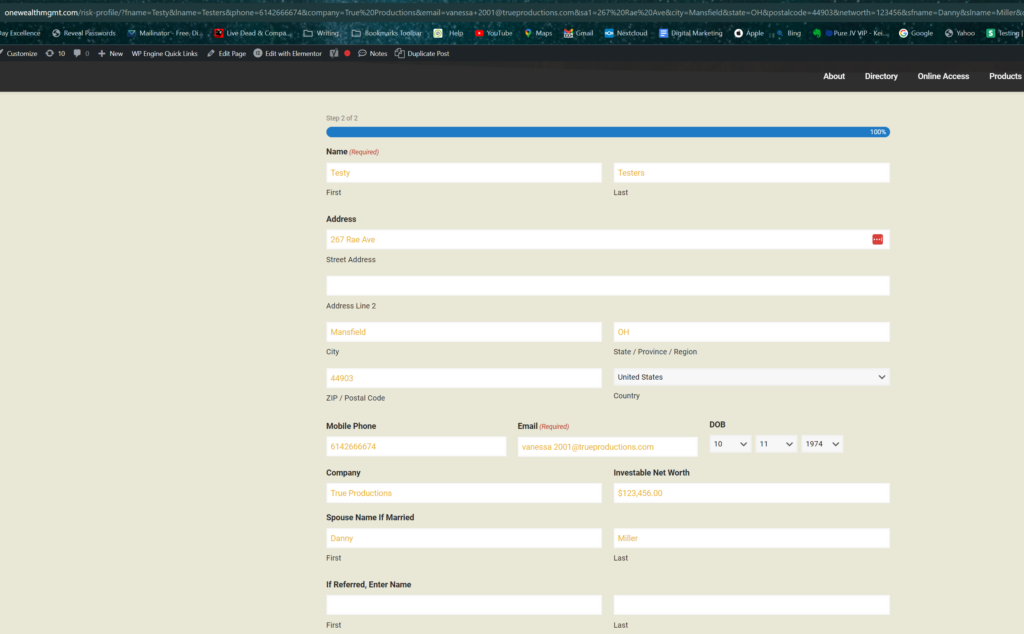
Following that link, the form will look like this, with info included:
In Keap, these urls are a little easier to build.
Here is an example of one built using contact fields in Keap: [https://legacypointgroup.com/verification-letter-upload/?fname=~Contact.FirstName~&lname=~Contact.LastName~&email=~Contact.Email~]
To build this link, simply use merge fields in the email builder. The base URL is where you are sending the contact, and the variables are the merge fields.